
kt --secure --audited
एक्सेस को मैनेज और ऑडिट करें
हर क्लाइंट के लिए,
आपके नेटवर्क पर या हमारे पर।
Kutrion एक audited access broker है। Credential server के पास रहता है और server खुद हर SSH और SFTP session खोलता है — web app, CLI या MCP पर चलने वाले AI agent के लिए — और उसी session के लिए memory में decrypt करता है। Access एक hash-chained audit log में दर्ज होता है, और कौन से events अभी दर्ज नहीं होते, यह हम साफ़ बताते हैं। Provider teams एक जगह से multiple client organizations मैनेज करती हैं और उनके actions उसी client के log में दर्ज होते हैं। AI सहायता default रूप से self-hosted model पर चलती है; cloud fallback तभी जब आपकी organization उसे चालू करे।
अभी एक्सेस invite-only है · आपके credentials शुरुआत से encrypted और audited रहते हैं
एक vault, आज उपलब्ध है
जल्द आ रहा है: macOS, iOS, Android
broker status
One broker between your people and your hosts
No standing credentials. The broker decrypts in memory for an authorized, audited session — then everything is on the record.
- 01
Store
Credentials go into the vault under envelope encryption — typed, organized, and never written as plaintext.
- 02
Request
When you need a host or a credential, you (or the broker) request access — scoped, and just-in-time where it matters.
- 03
Broker
The server decrypts in memory for that authorized session only, injecting access without leaving standing credentials behind.
- 04
Audit
Every read and every session lands in a tamper-evident trail, so access is always attributable after the fact.
solutions --by-need
Who this is for
Start where your job is. Providers running access on organizations they do not own are the case this is built around first.
For MSPs
Manage and audit access across every client you look after.
Run access for organizations you do not own, from your own. You invite a client once they have their own Kutrion organization, you work in theirs only after they accept, and everything you do there is written into that client's own audit log.
Managed access to client organizations is included from the Team plan up. Flat team pricing when you're ready.
Request accessFor individuals
A great SSH client and personal vault in one.
Keep your logins, keys and notes in one fast, secure place — and connect to your servers from the browser, the desktop app or the CLI without juggling key files.
Access is invite-only while we open up. Request access and we will be in touch.
Request accessFor teams
Shared access with an audit trail you can trust.
Give your team shared vaults and brokered SSH access, with just-in-time elevation and a complete record of who did what — including across the client organizations you look after.
Access is invite-only while we open up. Flat team pricing when you are ready.
Request accessFor enterprise
The audited broker your security team will sign off on.
SSO, data residency, privacy-first AI, SIEM streaming and a tamper-evident audit trail — the controls and evidence enterprise security and compliance teams require, with bring-your-own-Vault sync and, on a self-hosted deployment, an envelope-encryption master key sealed under an HSM-backed Vault Transit key you hold.
Enterprise terms, SSO and data residency are arranged with our team.
Talk to salesvault ls --all
Everything privileged access needs — in one place
A vault for every credential type, an audited broker for every session, and the team controls to run it safely.
Kutrion Vault
Logins, SSH keys, API keys, env files and secure notes — envelope-encrypted, organized per type, never stored as plaintext.
Learn moreKutrion Terminal
Reach Linux hosts over SSH and SFTP through an audited access broker. Every session is brokered and attributable, and on Team and above a solo shell is recorded — not a credential free-for-all.
Learn moreTeams & JIT access
Shared team vaults, role-based access, and just-in-time elevation that expires on its own. Onboard and offboard in one place.
Learn moreBrowser extension
A preview you load yourself — no browser store lists it yet. Autofill logins and capture credentials with a device-bound unlock — your vault where you work.
Learn moreKutrion AI
AI assistance that defaults to a self-hosted model (Ollama). An organization can opt in to a cloud fallback, which needs a configured key and the cloud-AI entitlement and passes a secret-and-PII filter first; without that opt-in, terminal output does not reach a cloud model.
Learn moreAudit trail
A hash-chained audit log of credential access and session activity — the record auditors and security teams ask for, with the events it does not cover yet stated rather than hidden.
Learn moretrace --security
Secure at every step of every flow
Whatever you do — create, share, or onboard — the data is encrypted in motion and at rest, and every step is audited.
Create a password
Generate, score and store — encrypted before it ever touches disk.
-
Generate
strong by default
01 -
Strength check
weak ones flagged
02 -
Encrypt
envelope keys
03 -
Stored
sealed in the vault
04
Share a credential
Hand off access with an encrypted, expiring, revocable link — never a plaintext paste.
-
Pick a credential
from your vault
01 -
Seal
encrypted link
02 -
Send
expires · revocable
03 -
Opened
access audited
04
Invite a teammate
Add people by email with a role; access is scoped and recorded from minute one.
-
Invite
by email + role
01 -
Accept
device-bound
02 -
Granted
scoped access
03 -
On record
who joined when
04
open --ui
A look at the interface
Representative views of the Kutrion UI — vault, teams, extension and AI.
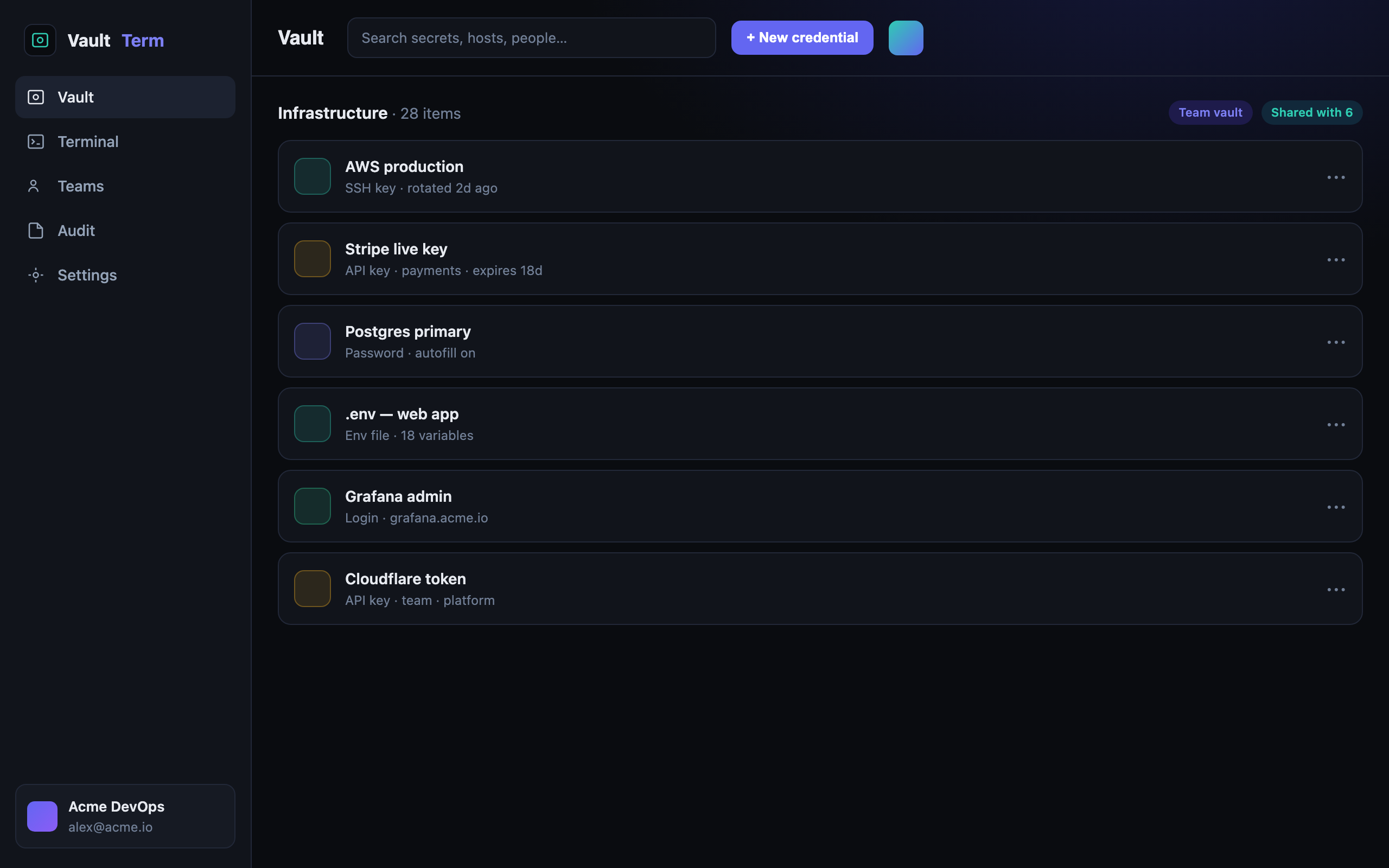
A vault for every credential type
Logins, SSH keys, API keys, env files and notes — organized and envelope-encrypted.
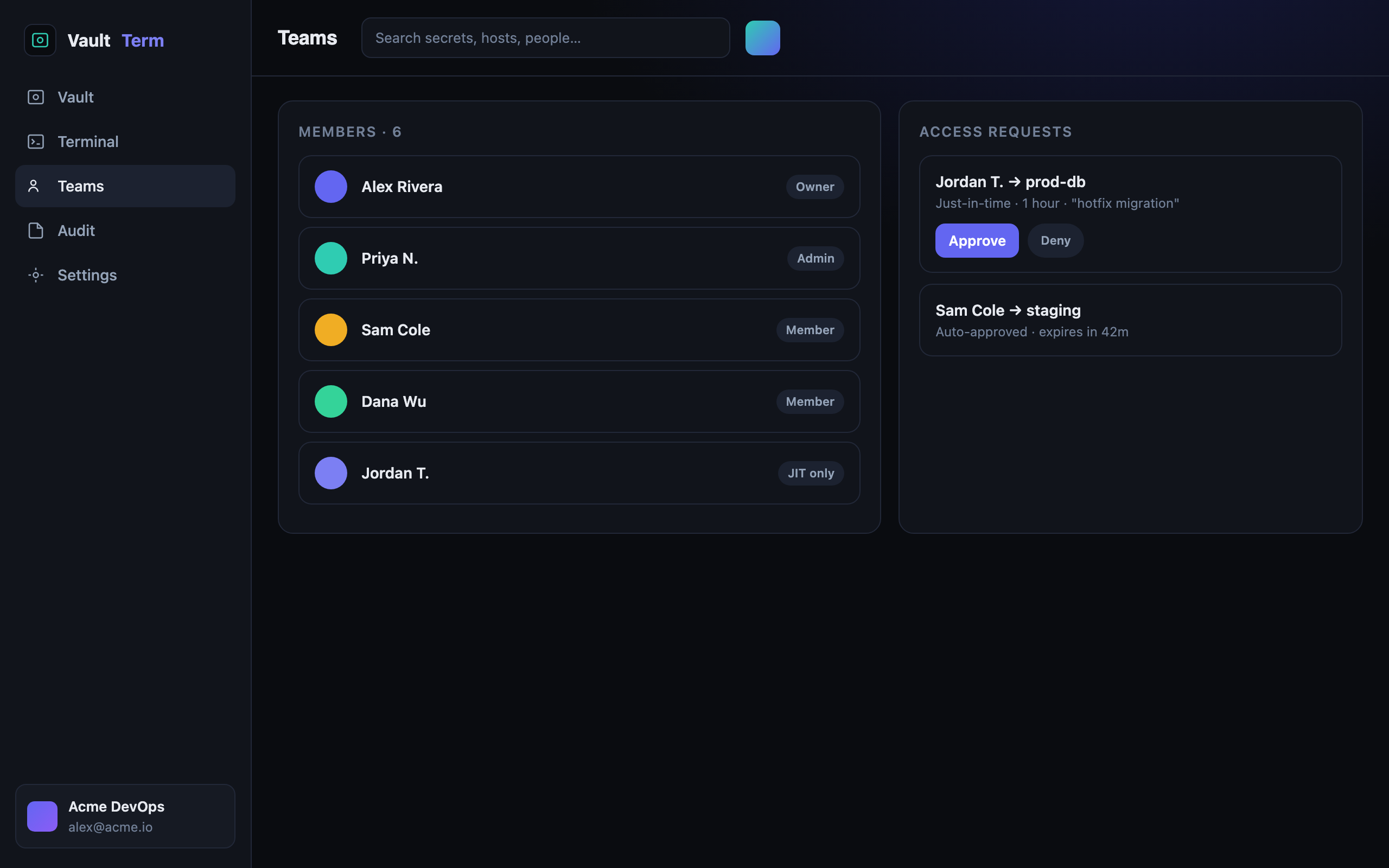
Shared access with approvals
Roles, shared vaults, and just-in-time elevation requests you approve in a click.
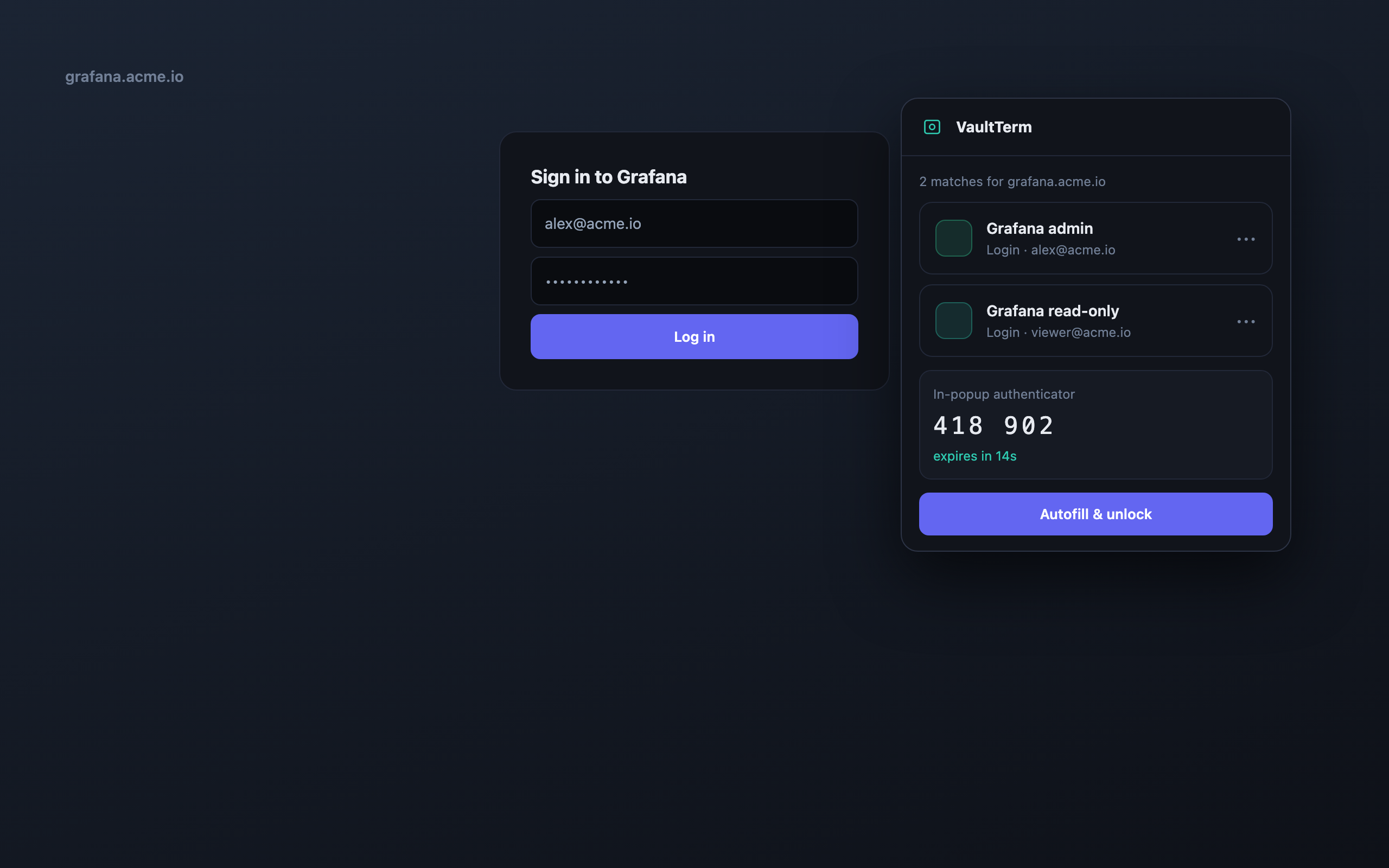
Autofill where you work
On-site matches, capture-on-submit, and a built-in TOTP authenticator.
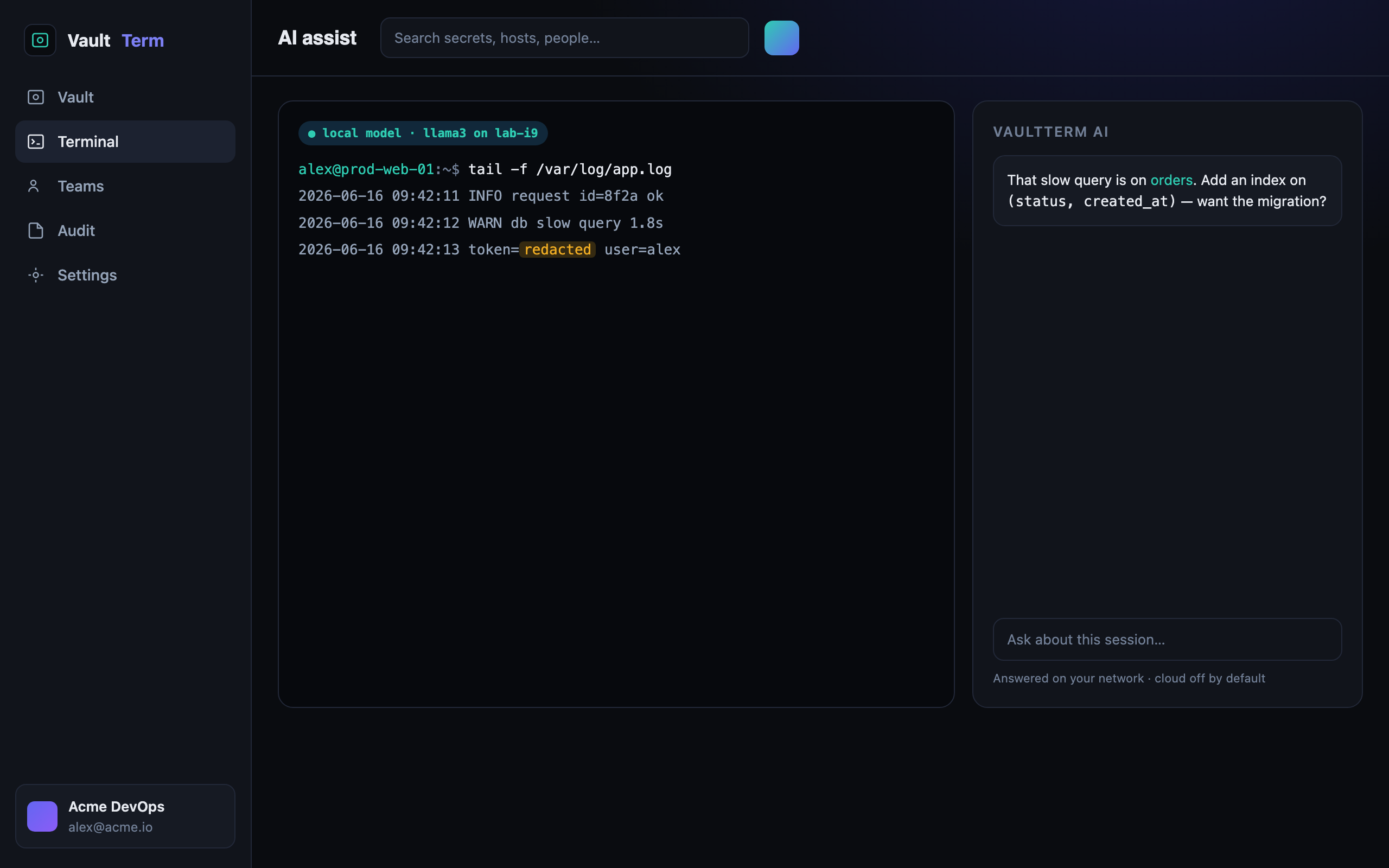
AI that defaults to a self-hosted model
Self-hosted by default, and you can point it at a model on your own network so terminal output never leaves it.
security --model
An audited broker you can account for
We are honest about the model: the server decrypts in memory for authorized, audited sessions. No plaintext credential material at rest, envelope encryption throughout, and a tamper-evident record of who accessed what.
No plaintext credentials at rest
Envelope encryption for every credential. Keys are wrapped, rotated, and never stored beside the data they protect.
Fully audited access
Every credential read and every session is attributable in a tamper-evident audit trail your auditors will accept.
Privacy-first AI
AI defaults to a self-hosted model. An organization can opt in to a cloud fallback; without that opt-in, terminal output does not reach a cloud model — and you can point AI at an endpoint on your own network.
why kutrion
What we stand for
We're a small team building this in the open. Instead of borrowed logos and invented quotes, here's what actually guides the product.
Honest about the model
We publish the security model rather than a slogan: the server decrypts a credential in memory only for an authorized, audited session, and access is written to a hash-chained audit log. The security page sets out what that does and does not cover, including the events the log does not record yet.
Privacy-first AI
Assistance defaults to a self-hosted model. Cloud is a per-organization opt-in, never the silent default — and we say what does and does not get stripped when you turn it on.
Built for engineers
A real SSH client and terminal, typed credentials, importers and a browser extension — designed around how access actually happens, not a generic password box.
faq --list
Common questions
How does Kutrion protect my credentials?
Envelope encryption throughout, with no plaintext credential material at rest in the vault. Outside the vault, two places are not sealed yet: values in synced API environments, and a password an AI agent types into a command, which that command's audit record masks in the common forms but not every form. The server decrypts a credential in memory only for an authorized, audited action, then discards it, and access is written to a hash-chained audit log. Terminal recordings and command history are stored unsealed. The security page states the full model, including what an access broker can and cannot promise.
Can I self-host it?
Yes. Kutrion self-hosts as a single Docker Compose unit — even fully air-gapped — with your keys in your own HSM and AI on your LAN. See the self-hosting page for how on-prem deployment, licensing and bring-your-own-key options work.
How do I get access?
Access is invite-only while we open up — request access and we will be in touch. Paid plans add unlimited vaults and connections, team features, just-in-time access and compliance reporting.
How is this different from a password manager?
A password manager stores credentials. Kutrion also brokers access: it connects you to hosts through an audited broker with just-in-time elevation, session recording and a tamper-evident audit trail — the access side a vault alone doesn't cover.
Which platforms does it run on?
The web app, the browser extension, the desktop apps for Windows and Linux and the CLI are available today. Two of those are not one-click: no browser store carries the extension, so you load the build yourself, and the CLI installs from a tarball rather than from a registry. macOS and mobile (iOS and Android) are not published yet. We list a client as available when you can actually install it — the downloads page carries the current status and the exact route for each.
अपने credentials और sessions को एक audited platform में लाएं।
एक्सेस का अनुरोध करें, हम आपको सेट अप कर देंगे। जब आपकी टीम को shared vaults, JIT access और compliance reporting चाहिए, तब प्लान upgrade करें।