
Every session brokered and audited.
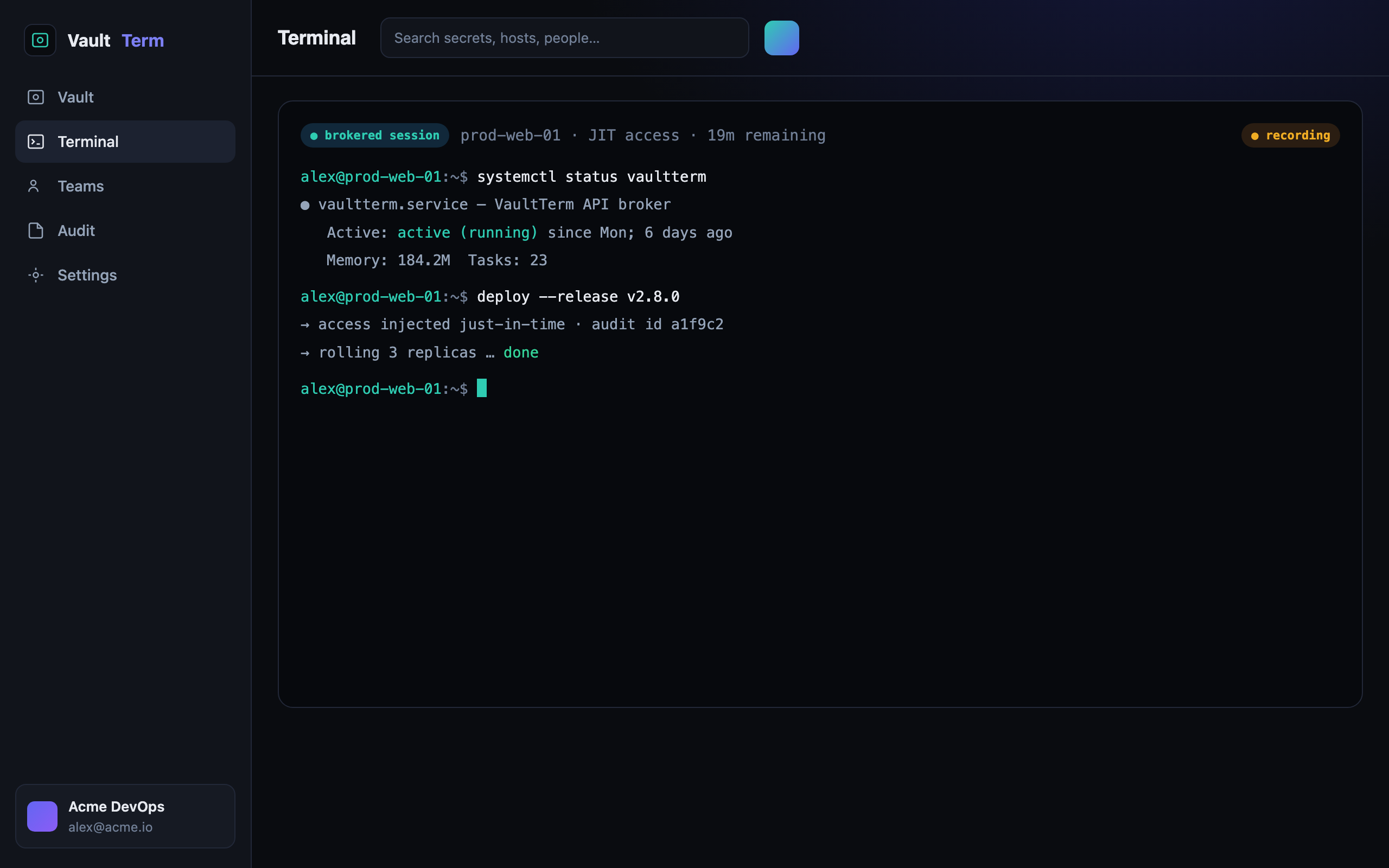
Connect to Linux hosts over SSH and SFTP through an audited access broker. Access is injected just-in-time, decrypted in memory for the authorized session only, and written to the audit trail.
the problem
Private keys scattered across laptops are impossible to rotate, attribute or revoke. When someone leaves — or a laptop is lost — you're guessing at blast radius.
macOS, Windows, और Linux के लिए उपलब्ध
ट्रांसक्रिप्ट को टेक्स्ट के रूप में पढ़ें
ट्रांसक्रिप्ट
Kutrion Terminal: saved hosts, brokered tabs, SFTP and a local shell. Any host the Kutrion server is allowed to reach.
Sign in. Your saved hosts come from your account.
A brokered tab: the server makes the connection and the session is audited.
SFTP from the same saved host.
A local shell tab runs on this computer. Kutrion does not broker, record or audit it.
Sessions on a Team or Enterprise plan are recorded; this demo host records on any plan. Recordings, summaries and command history can be reviewed by authorised admins; they are not private.
What it costs you. The host must be reachable from the Kutrion server. The server holds the credential. Brokered tabs need the server. On the hosted service the server blocks private addresses; self-hosted installs allow them by default. To reach a private network, run Kutrion on that network.
kutrion.com. Request access.
What it does
- Brokered connections
- Sessions run through the broker rather than from standing keys on a device. Credentials are injected just-in-time and torn down when the session ends.
- Just-in-time elevation
- Request elevated access for a window that expires on its own — no permanent grants accumulating in the dark.
- SSH and SFTP anywhere
- Open a Linux terminal or transfer files from the browser — all against the same brokered connections.
- Session recording
- On Team and above, an interactive shell you open on your own through the broker is recorded for replay, on every host rather than chosen ones. A session shared with another member is not recorded yet. Recordings are kept under your retention policy and stored as captured; their digests are sealed into the audit log, so alteration or deletion is detectable.
- No standing keys on laptops
- Just-in-time elevation that expires automatically
- SSH and SFTP from the browser
- Shell session recording on Team and above
how we back it up
No hand-waving on security
faq --list
Terminal — questions
Where do the SSH keys live?
In the vault, under envelope encryption — not on the connecting device. The broker injects access for the session and removes it afterwards, so there are no standing keys to lose or rotate by hand.
Can I still use it from a normal terminal?
Yes. You get a full SSH and SFTP terminal from the browser, against the same brokered connections so the audit trail is consistent. Native desktop and CLI clients are in development and not yet published.
What does just-in-time access mean here?
Instead of permanent access, you request a time-boxed grant. It expires automatically, so access doesn't quietly pile up over months.