
Your vault where you work.
A preview you load yourself: no browser store lists it yet, so Chrome and Edge run it in developer mode and Firefox only as a temporary add-on. It autofills logins and captures new credentials. The extension holds an encrypted copy of your vault on the device, so a fill is a local decrypt that works instantly and offline — sealed under a key your organization can withdraw, with every reveal still recorded.
the problem
A vault you have to leave your browser to use is a vault you stop using. But a local copy your organization can neither withdraw nor audit turns the browser into the soft underbelly.
What it does
- Match and autofill
- The extension recognizes the site you're on and fills the right login, with per-domain rules so it fills only where it should.
- Capture on submit
- New logins are offered for capture as you create them, so the vault stays current without a separate save step.
- A copy that stays accountable
- The device copy is sealed under a key the server issues — bound to you, this device and your organization, time-limited and revocable. Fills from it are journalled and handed to the audit trail on the next sync.
- Built-in authenticator
- Store TOTP seeds and read codes right in the popup — your second factor lives with the login it protects.
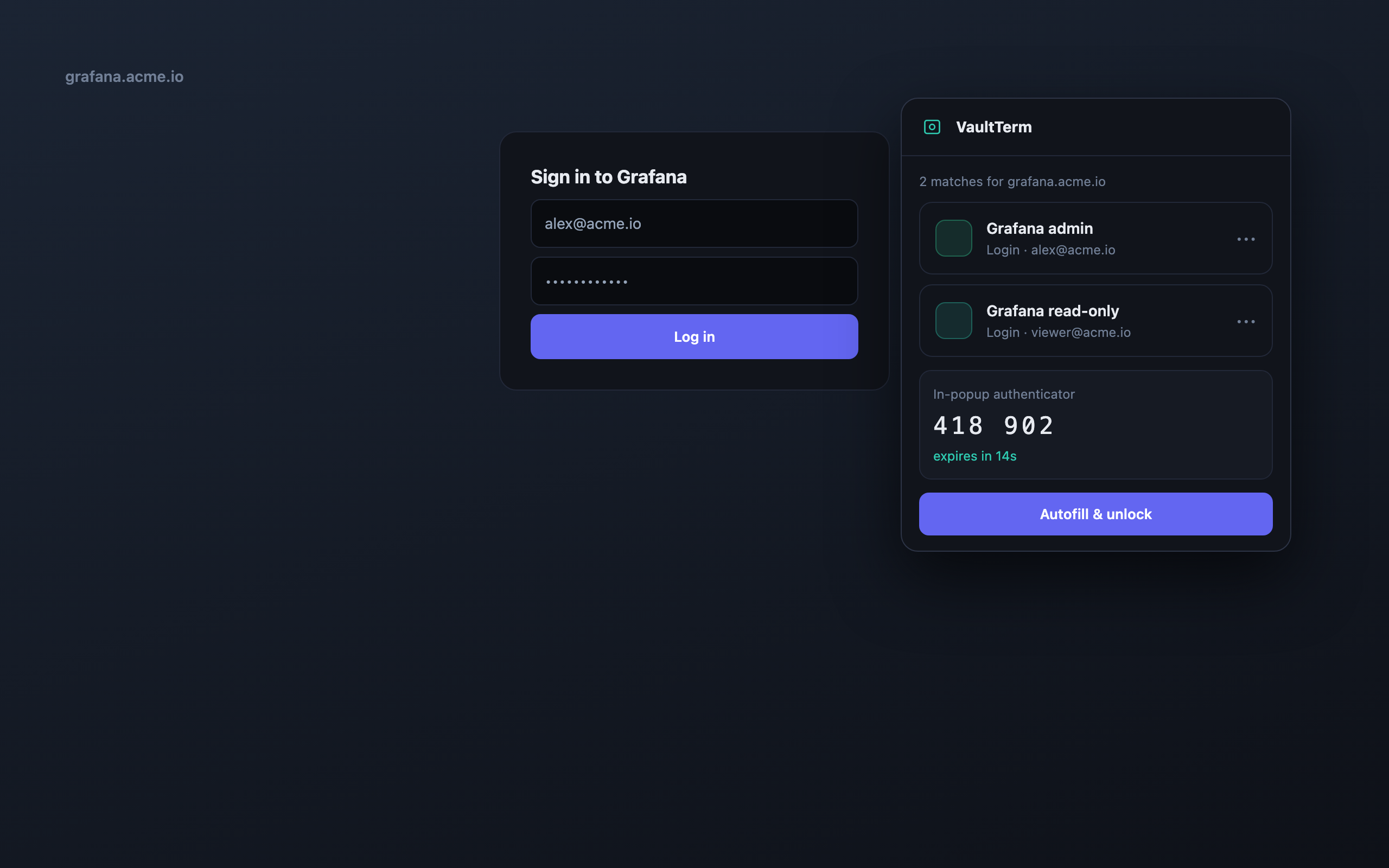
- On-site match detection and autofill
- Capture new logins on submit
- Biometric unlock online, account password offline
- In-popup TOTP authenticator
how we back it up
No hand-waving on security
faq --list
Browser extension — questions
Does the extension store my passwords locally?
Yes — deliberately, as an encrypted copy, which is what makes a fill instant and lets it work offline. The copy is sealed under a key the server issues and can revoke, every fill from it is written to the audit trail, and an organization can turn offline copies off entirely.
Which browsers are supported?
Chrome and Edge (Chromium), and Firefox. No store carries the extension yet, so you load the build from the Downloads page yourself. There is no Safari build yet.
Can it handle my 2FA codes too?
Yes, there's a built-in TOTP authenticator, so your one-time codes sit alongside the login they belong to.